The 30-Minute AI Starter Guide for Total Beginners
"I get that AI is useful, but when I actually open it I have no idea what to do."
This is for anyone starting from exactly that spot. No jargon, just 30 minutes of following along, and —
you'll put it to real work today. Grab a coffee and go down four steps. 👇
In 30 minutes, here's where you'll be
- Understand in one line what AI is
- Open ChatGPT and get to your first question
- Have it do email, summaries and ideas yourself
Here's the schedule. Let's go down one at a time. 👇
| Step | Time | What you do |
|---|---|---|
| 0 | 3 min | Understand what AI is |
| 1 | 5 min | Open it |
| 2 | 7 min | First question |
| 3 | 15 min | Put it to work |
Step 0 (3 min) — AI, just this much
No need to overthink it. Today's AI is "a smart assistant that does things for you when you ask in plain words."
It writes, summarizes, translates and brainstorms. Just one thing to remember — it's sometimes wrong. (We'll cover that after Step 3.)
Got it? Then let's open it. 👇
Step 1 (5 min) — Open it
Here are 3 free AIs that are great to start with. Just pick one and open it — this guide works no matter which you choose.
- Claude — Great for writing and documents. New to this? Start here.
- ChatGPT — The all-rounder that does a bit of everything.
- Gemini — Works closely with Google (Gmail, Docs).
- Pick one above and open it (or install the app)
- Sign in with a Google account
- Done. It starts free, right away.
💡 No payment needed at first. Learn on the free tier.
Screen loaded? Now the fun part — your first conversation. 👇
Step 2 (7 min) — Ask your first question
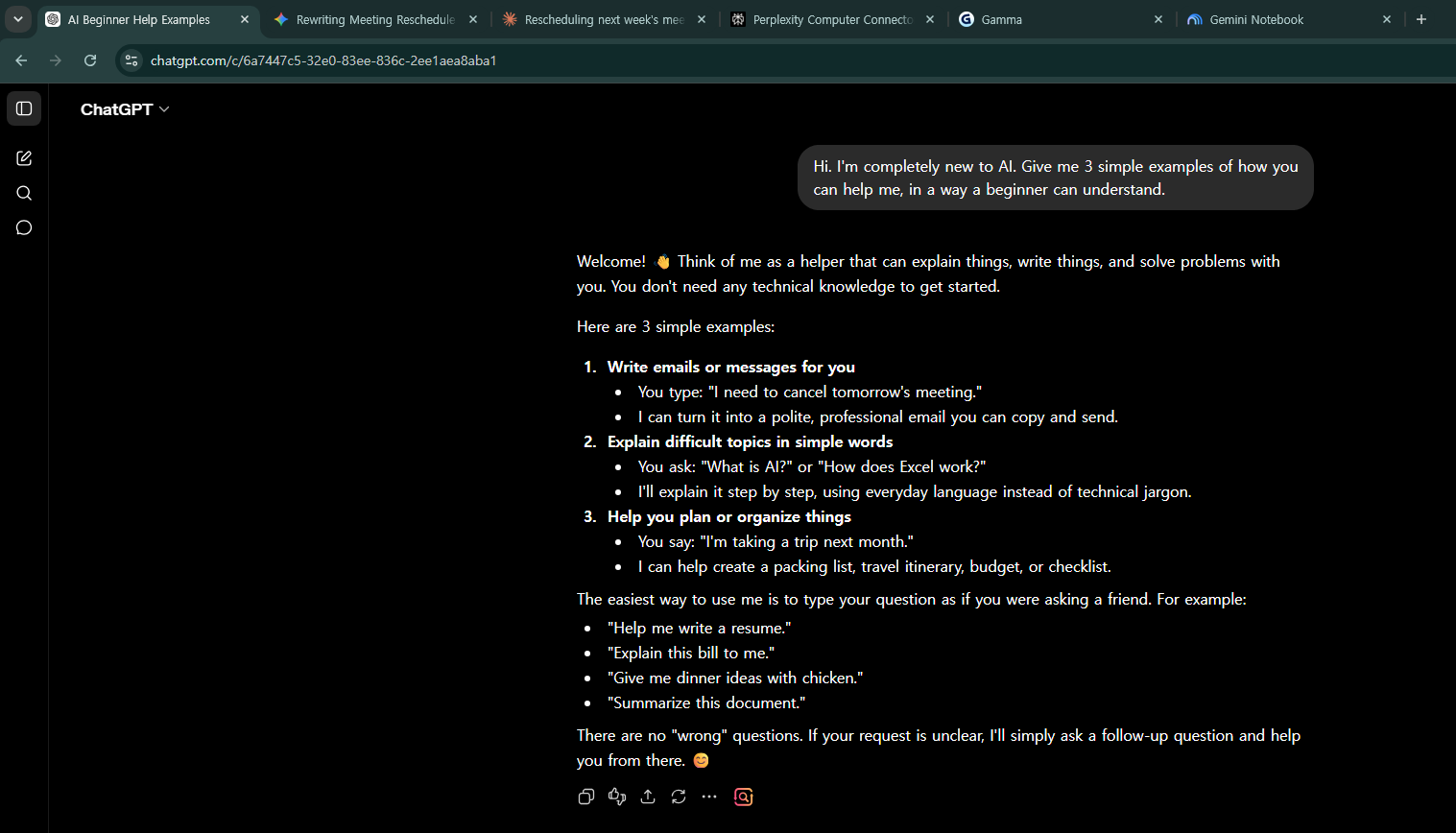
Just type in the box like you're talking. Copy the line below and paste it in.
Hi. I'm completely new to AI. Give me 3 simple examples of how you
can help me, in a way a beginner can understand.
Got an answer? Congratulations. You're already using AI.
…but that was a warm-up. The real thing starts now. Let's put it to actual work. 👇
Step 3 (15 min) — Put it to work right away
Try these three yourself. Each time one works, you'll go "oh!"
① Write an email
Rewrite the below as a polite work email. The recipient is a client contact:
"I'd like to move next week's meeting to Thursday."
② Summarize a long text
Summarize the text below in 3 lines: [paste an article or document]
③ Get ideas
Give me 10 blog topic ideas for readers in their 30s–50s. Put them in a table.
Done all three? You've got the feel. But there's a landmine beginners always step on. Let's dodge it first. 👇
4 landmines beginners always step on
- Asking too briefly → "write an email" (✗) / "to whom, about what, how long" (✓)
- Expecting perfection in one shot → just ask again with "shorter", "more polite".
- Trusting a wrong answer as-is → always check numbers and facts. AI is sometimes wrong.
- Pasting sensitive info → never enter ID numbers, bank accounts or secrets.
Avoid these four and you've peeled off the beginner label. 👇
30 minutes, done
You opened AI, asked a first question, put it to work, and dodged the landmines.
Now use it a little every day. Within a week, you'll miss it when it's gone.
Next step? The "art of asking" that sharply raises answer quality. 👇
First-Week Practice Plan (5 minutes a day, 7 days)
Knowing it only in your head means you'll forget it in 3 days. Just 5 minutes a day, one single thing. In a week it becomes second nature.
| Day | Today's 5-minute mission |
|---|---|
| Mon | "Suggest 3 dinner menus for tonight. My fridge has [ingredients]" |
| Tue | Take a text message and "make it more polite" |
| Wed | Take a long article or document and "summarize it in 3 lines" |
| Thu | Ask something you're curious about and "explain it simply enough for a child" |
| Fri | "10 ideas for [topic], in a table" |
| Sat | Take a sentence and "translate it naturally into Spanish" |
| Sun | Take a repetitive task you do often and "tell me how to automate it" |
💡 After 7 days you'll think, "Why didn't I know this sooner?" One a day is enough.
FAQ
Q. Is it really free? Yes. For light use, the free tier is plenty.
Q. Do I need good English? It understands your own language just fine.
Q. I'm not good with computers? If you can type like texting, you're set.
Read next
Hashtags: #AIforbeginners #howtouseChatGPT #AIbasics #learnAI #productivity