Draft a Blog Post With AI and Rank on Search
"Writing with AI is fast, but it never ranks on search — right?"
Correct. Just generating and posting won't rank. Google actually dislikes it.
But follow the right order and you can write fast and still rank. Here are the 5 steps. 👇
The big picture — 5 steps
Let's grasp the flow first. The tool for each step is noted too.
| Step | What to do | Tool |
|---|---|---|
| 1 | 🔍 Pick topic & keywords | Perplexity / search |
| 2 | 🗂️ Build the outline | ChatGPT / Claude |
| 3 | ✍️ Write the draft | Claude |
| 4 | 🎯 SEO polish | ChatGPT |
| 5 | ✅ Human review | You |
Step 5 is the key. Why, at the end. Let's go down one by one. 👇
Step 1 🔍 Topic & keywords — "the words people actually type"
A good post starts with a good topic. Not the words you want to write, but the words people search.
Pull 20 questions people search a lot about '[my field]'.
Order them by what a beginner wonders first.
That list is your topic list. Once you pick one, it's time to build the frame. 👇
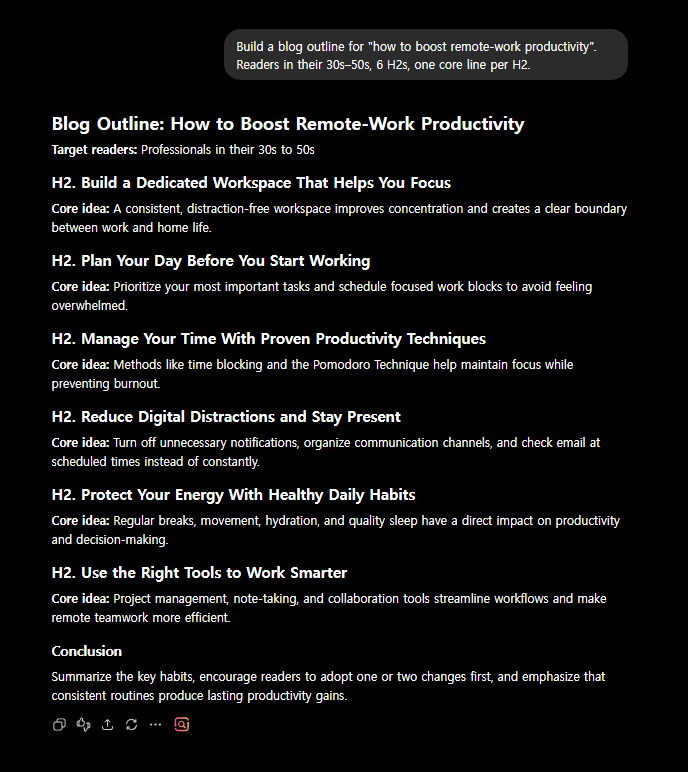
Step 2 🗂️ Outline — frame first
Don't jump straight into the body. Set the outline first so the post doesn't wobble.
Build a blog outline for '[topic]'. For readers in their 30s–50s, 6 H2s,
one core line per H2, aligned with search intent.
Happy with the outline? Now add the flesh. 👇
Step 3 ✍️ Draft — not all at once, "by section"
"Write it all" is a no. Asking section by section raises quality sharply.
Write the first H2 section of the outline above. Paragraphs of 3–4 sentences, plain words,
include one real example.
Finish the draft one H2 at a time like this. But don't post it as-is. 👇
Step 4 🎯 SEO polish — make it rank
Tune the draft to be search-friendly.
Polish this post for SEO:
- suggest 3 titles (with the search term)
- 1 meta description (150 characters)
- work key keywords naturally into the H2s
- add 3 FAQs at the end
💡 Just nailing the title, meta and FAQ noticeably lifts visibility.
At this point you're 90% there. But the last 10% decides everything. 👇
Step 5 ✅ Human review — without this, it's all wasted
Post exactly what AI wrote and Google filters it out. It must pass through human hands.
- A spoonful of your experience — one paragraph of "here's what I found using it myself" decides ranking (experience = E-E-A-T)
- Fact-check — cross-check numbers, names, dates
- Fix awkward sentences — remove AI's telltale repetition and overstatement
- Real images — not stock; ones you shot or made yourself
⚠️ Skip these 5 steps and the fast-written post sinks just as fast.
Wrap-up — fast, but not shallow
AI gives speed, and you add experience and review. That combo is the ranking formula.
Fast through steps 1–4, deep in step 5. Start with one topic today.
🔎 5 telltale 'AI' signs, and how to erase them
Search engines and readers both spot "this was written by AI" in a heartbeat. Fix just the items below and it reads far more human.
| The AI tell | How to fix it |
|---|---|
| A cookie-cutter opener ("In today's world…") | Start with your own experience or a question |
| Overblown adjectives ("revolutionary," "amazing") | Swap in concrete facts and numbers |
| Saying the same thing twice | Cut the repeated sentences without mercy |
| Nothing but bullet lists | Turn one or two into real paragraphs |
| A generic conclusion ("In conclusion, this matters") | Offer your own take and a next step |
The single most powerful move is one paragraph of "here's what I found when I tried it myself." AI can't write that — which is exactly why it decides your ranking.
FAQ
Q. Is AI writing always low quality? No. Add review and experience and it actually ranks well.
Q. Which AI is good for writing? Sentence quality = Claude, research = Perplexity.
Q. How many a day? Depth of one post beats count, for search.
Read next
Hashtags: #blogging #AIwriting #SEO #contentcreation #sideincome #WordPress