Free AI Image Generators — Tested and Picked
Blog thumbnails, Instagram images, product-page graphics. You used to outsource them or dig through stock photos.
Now you just describe them in words and they appear in seconds. And you can start for free.
Which one to use for what, and how to make them come out great — in order. 👇
Different jobs, different tools
Start with "what image do you need?" That decides the tool.
| Use case | Recommended tool | Free |
|---|---|---|
| 🎨 Design & thumbnails (with text) | Canva AI | Free to start |
| 💬 Generate right in a chat | DALL·E (built into ChatGPT) | Free tier available |
| ✍️ Images with clean text | Ideogram | Free credits |
| 🖼️ High-quality art & illustration | Leonardo / Adobe Firefly | Free credits |
For most people, Canva or DALL·E is plenty. Let's take them one at a time. 👇
🎨 Canva AI — easiest for non-designers
Design templates + AI generation in one place. You can finish a thumbnail by adding text and logos right on top, which makes it the best for beginners.
- Use it for: blog thumbnails, social cards, product pages
💡 Even "with no eye for design," laying an AI image over a template makes it look polished.
Already using ChatGPT? Then you don't even need to switch apps. 👇
💬 DALL·E — right inside ChatGPT
In ChatGPT, you can go straight from chatting to "draw me something like this," and it appears. No app-switching — super convenient.
- Use it for: idea sketches, blog illustrations
✍️ Ideogram — images where text doesn't break
The chronic problem with AI images is garbled text, but Ideogram places text relatively accurately.
- Use it for: banners and posters with wording
🖼️ Leonardo / Firefly — when you need quality
When you need more refined illustration or art, come here. Firefly's strength is safety for commercial use.
- Use it for: high-quality content, commercial work
💡 Most let you start with free credits — a set amount free each day/month.
Now, "how to make them come out great" is what really makes the difference. 👇
The prompt formula for great results
Write it vaguely and you get something weird. Be specific.
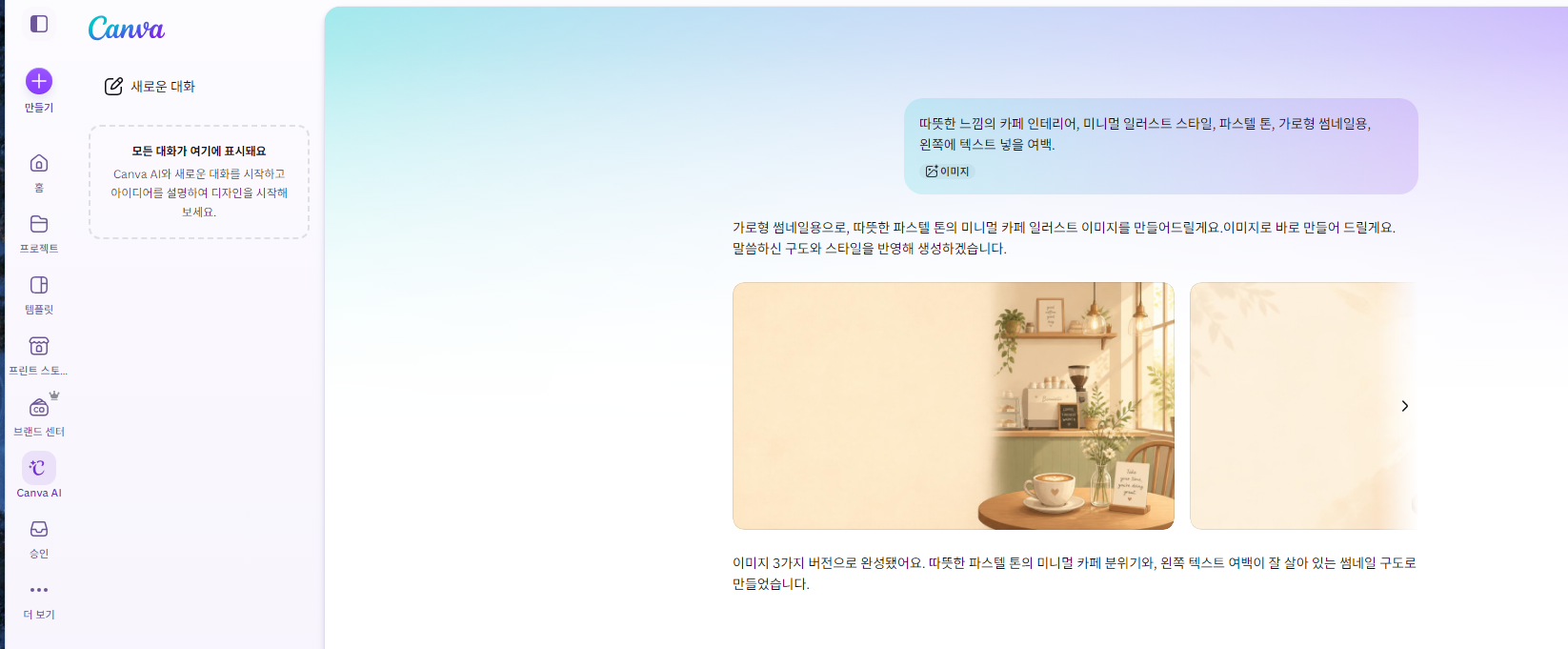
What + Style + Mood + Composition/Color
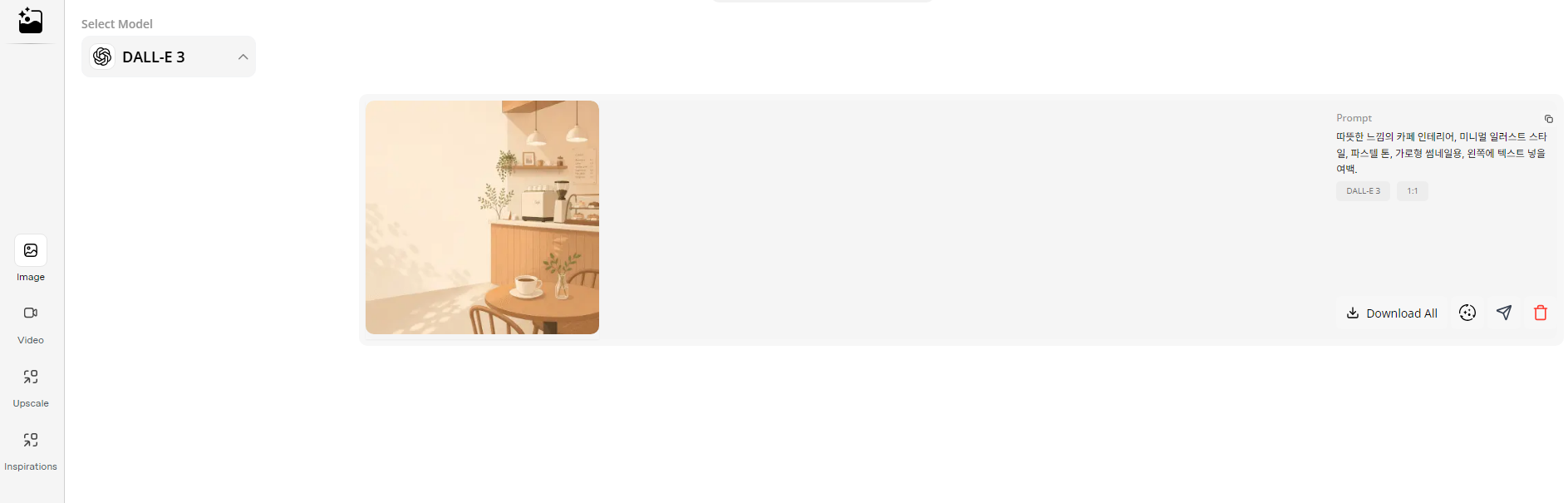
A warm, cozy café interior, minimalist illustration style,
pastel tones, for a horizontal thumbnail, leave whitespace on the left for text.
- Adding just one line — "photorealistic" / "as a flat illustration" / "leave whitespace" — changes the result.
⚠️ Before you use them, one thing about copyright
AI images have commercial-use conditions that differ by tool, too. If you'll use them for blog revenue or sales, check each tool's commercial-use terms. (Firefly and Canva tend to be clear on this.)
🛠️ Common misfires, and how to fix them
AI images have a few chronic problems. Add just one of these lines when you regenerate and they improve dramatically.
| The problem | Add this |
|---|---|
| Garbled text | "no text," or use Ideogram |
| Odd hands or fingers | "keep hands out of frame / a natural pose" |
| Unwanted objects sneak in | "simple background, just ___" |
| Looks too artificial | "photorealistic, natural light" |
If it's not right the first time, don't start over — keep going with "from the last image, change only ___."
FAQ
Q. Is it really free? Yes, most have free credits. Heavy use goes paid.
Q. Can it do human faces? Yes. But avoid real people and celebrities (likeness rights).
Q. Do non-English prompts work? Yes. Though English is sometimes more accurate.
Read next
- 👉 2026 AI Tools, Fully Sorted — The 6 Big Categories
- 👉 How to Make Slides (PPT) with AI in One Minute
Hashtags: #AIimages #imagegeneration #CanvaAI #DALLE #thumbnailmaking #design